
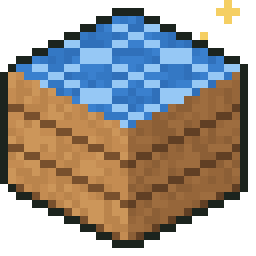
Make your own Minecraft mods. No code needed.
Design items and blocks with simple forms, paint their textures pixel by pixel, and play them in Minecraft Bedrock or Java Edition.
Free, for Windows 10 and 11. Version 0.1.0.
What you can make
- Items: gems, food, swords, pickaxes, axes, shovels and hoes
- Blocks, with your own textures on them
- Recipes to craft what you made
- Textures from 13 starter templates you can recolor, or painted from scratch
Where it plays
- Minecraft Bedrock Edition: an add-on file (.mcaddon) that Minecraft opens and installs
- Minecraft Java Edition 26.3 with Fabric: a mod file (.jar), made in about a second
- One project exports to both
How it works
-
Install ModTinker
Download the installer and open it. Windows may say it doesn't recognize the app yet, because ModTinker is new: choose More info, then Run anyway.
-
Make something
Pick what to make, give it a name and its stats, and paint its texture on a 16 by 16 pixel grid.
-
Export and play
Export your mod for Bedrock or Java, add it to Minecraft, and try it in your world.
The Ruby Pack
The first mod made with ModTinker: rubies, ruby tools and a magic golden apple. It comes inside the app. On the home screen, choose Try the sample, then change it and play it.
 RubyFrom Ruby Ore
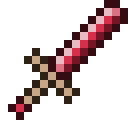 Ruby Sword7 attack damage
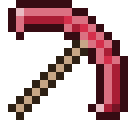 Ruby PickaxeMines faster than iron
 Golden Ruby AppleAlways edible, and it shines
 Block of RubyCrafted from nine rubies
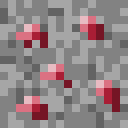 Ruby OreSmelt it for a ruby
Safe to share
ModTinker is made for beginners, and for the people who look out for them.
- Making mods works offline, with no account. Your projects stay on your computer.
- An account is only needed to share mods and join the forums.
- Every shared mod is checked automatically, and mods with code wait for a person on the team before anyone can download them.
- The forums are text only, with no private messages, and a filter refuses bad words and personal information.
- No ads, and we never sell anyone's information. You can download your data or delete your account at any time in Settings.